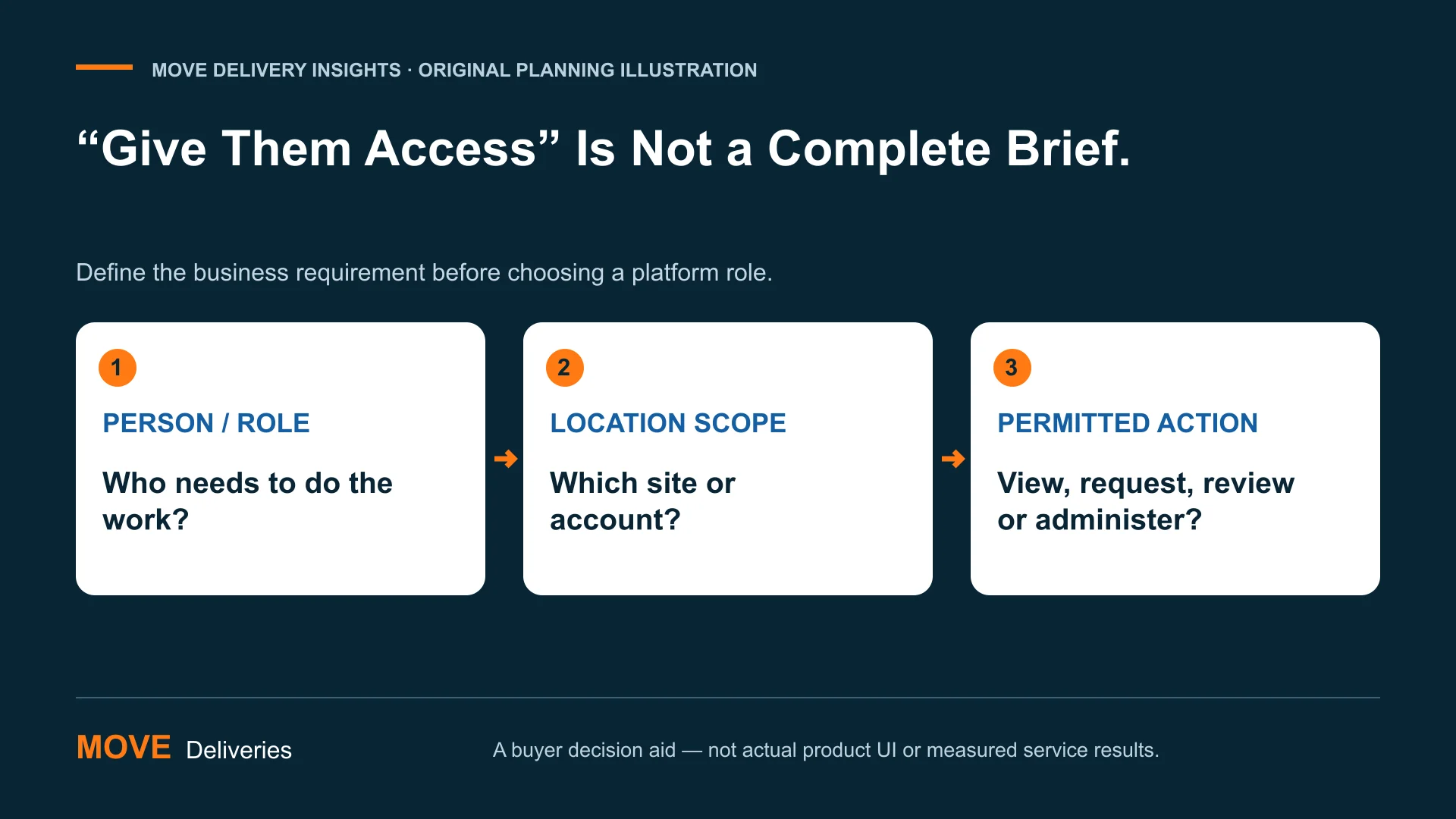
Courier account permissions should match what each person needs to do—not just whether they work for the customer. A receiving employee may need a delivery update without needing to create requests. A regional account contact may coordinate several locations while another person works with one site. Before adding users, turn those differences into explicit requirements that a provider can confirm.
This guide helps healthcare buyers prepare that conversation. It provides seven questions, an original location-by-action matrix and a fictional role-change example. It is a purchasing and operational planning tool, not a security assessment of MOVE or another platform. It does not establish HIPAA compliance, certify access controls or authorize anyone to view patient information. Your responsible account, privacy and security teams should determine the applicable requirements.
The most useful first step is small: name the action, the location scope and the approving role. Then ask the provider whether the requirement is supported, how it is configured and what evidence can be reviewed. A feature name in a proposal is not proof of an enforced boundary. Keep requested, confirmed and demonstrated capabilities separate throughout the decision.
In this guide
- A login answers who. Permissions answer what.
- 7 questions for courier account permissions
- Build a location-by-action matrix before choosing a role.
- A fictional transfer that should trigger two questions.
- Keep a short access-decision ledger.
- Account access: questions healthcare buyers ask
- Give your account setup a clearer brief.
A login answers who. Permissions answer what.
Authentication and authorization are different questions. The OWASP Authorization Cheat Sheet distinguishes identity verification from permission to perform a specific action. It recommends limiting privileges, denying access by default and checking authorization on each request. These are general application-security principles, not evidence that a particular courier platform implements them. A buyer should ask how the offered service addresses the requirements relevant to its workflow.
A role can group related permissions, but a role name alone does not define its practical reach. NIST’s role-based access-control background describes relationships between users, roles and authorized transactions. For a delivery buyer, the useful planning question is which actions a person needs within which organizational boundary. The provider may use roles, attributes or other controls; do not prescribe an architecture before understanding the supported model.
Separate an account contact from a platform user. Someone receiving an operational notification is not necessarily entitled to sign in, edit a request, download a record or administer another user. Likewise, a person who can request transport may not be authorized to change another location’s settings. Ask what each relationship means in the actual service instead of treating every email address associated with an account as an administrator.
Keep the business requirement understandable before discussing software labels. “This receiving role needs status for Site A’s deliveries” is clearer than “give them standard access.” The first can be evaluated against a supported configuration. The second depends on an undefined default. Your matrix should express the intended work first, with provider terminology added only after the parties understand the same requirement.
7 questions for courier account permissions
First, who approves access on the customer’s side? Name the responsible role and its substitute, not merely the employee who can send an email fastest. Determine how the provider will recognize an authorized request to add, change or remove a user. A front-desk employee may identify a need without being authorized to grant it. The approval path should remain clear when the normal account contact is unavailable.
Second, which locations belong in the person’s scope? List the sites or organizational units required for their work. Do not use “all locations” as a convenient placeholder for a requirement that has not been discussed. A regional coordinator may genuinely need broad scope, while a temporary receiving role may not. Ask how the platform represents location relationships and what happens when a site is added to the account.
Third, which actions are actually needed? Separate viewing status, receiving notifications, creating a request, proposing a change, viewing completion records, exporting information and managing account access. Not every system offers those as independent permissions. That is precisely why the matrix is useful: it exposes where the supported configuration fits the requirement and where the buyer must resolve a gap before relying on it.
Fourth, what information accompanies each action? Viewing a delivery list and downloading a detailed record can expose different information. Ask which fields and attachments are available through the supported view or export. Keep the discussion tied to the minimum business need and involve your organization’s appropriate reviewers. Do not put real sensitive records into a general demonstration simply to find out what a test user can see.
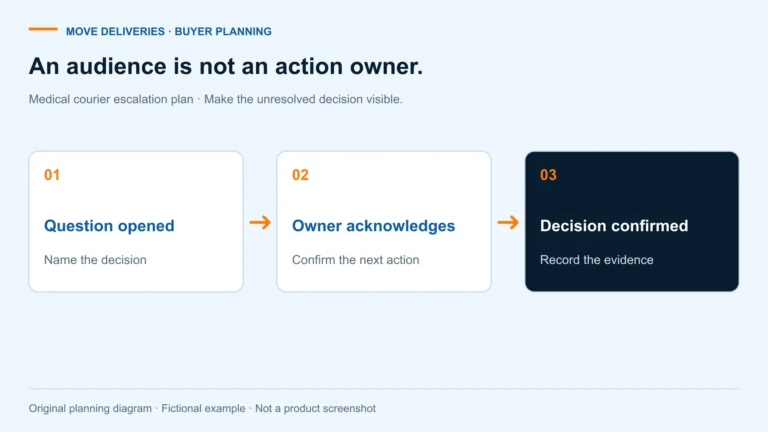
Fifth, how is access changed when responsibilities change? Ask about the supported process for a departing employee, a temporary assignment, a location transfer and an account administrator change. Define who initiates the request and how completion is confirmed. A message asking for removal is not itself proof that access ended. Keep the pending request and confirmed outcome distinguishable in the customer’s administrative record.
Sixth, what can be demonstrated safely? Ask for an approved test involving fictional users, locations and delivery references. Compare what the test user can and cannot do with the matrix. An explanation of an intended restriction is useful, but an observed restriction answers a different question. Record both honestly, and do not attempt unauthorized access to real accounts as a substitute for a supported demonstration.
Seventh, who reviews access after setup? Choose a responsible account role and practical review triggers such as staff changes, new locations or an altered service arrangement. A list signed once during onboarding may not reflect the operation months later. Ask which current user and scope information the provider can make available for authorized review. Do not assume an audit export exists until its availability and meaning are confirmed.
Build a location-by-action matrix before choosing a role.
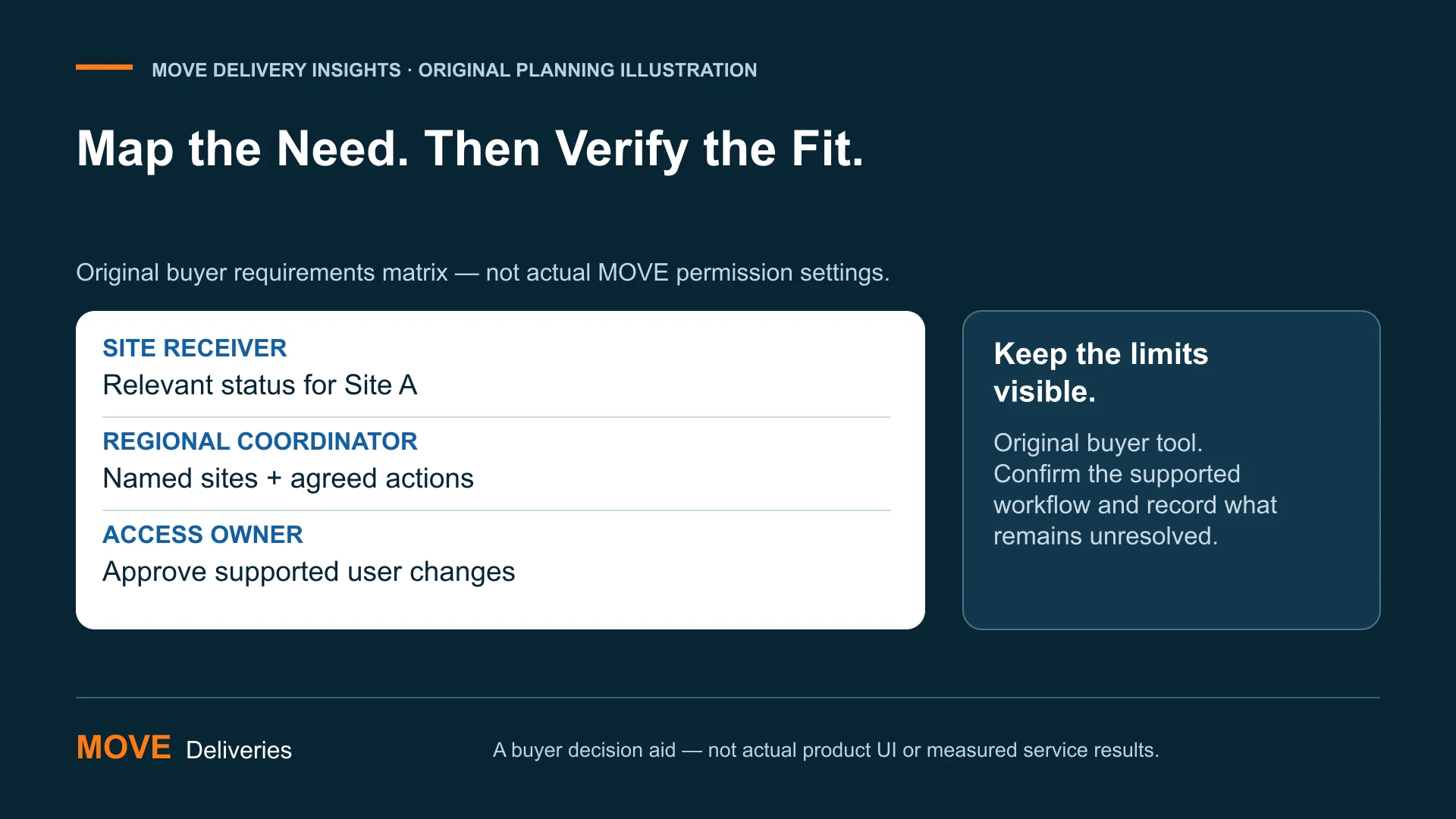
The original matrix below is a requirements example, not a list of existing MOVE permissions. Use “requested,” “not requested” and “needs clarification” before assigning any software role. Later, add the provider’s supported configuration and the evidence reviewed. This avoids turning an unconfirmed buyer preference into a claim about the platform. It also makes a genuine gap visible while there is still time to address it.
For each row, identify the business purpose and approval role. A receiving contact might need an update for Site A but not a request-creation function. A regional coordinator might require a wider view with carefully defined actions. An account administrator might need user-management responsibilities that do not belong to every operational contact. These are fictional examples; your actual responsibilities may be organized differently.
Do not force a “yes” merely because the business process needs a capability. If a system cannot express the intended separation, document that limitation and ask the responsible team to evaluate the proposed arrangement. A temporary manual practice is not equivalent to an enforced software restriction. Any accepted limitation should be understood by the people accountable for the information and operation, not buried in a sales demonstration note.
| Fictional role | Location scope | Requested actions | Clarify before setup |
|---|---|---|---|
| Site A receiver | Site A only | Relevant status and agreed updates | Which deliveries and fields are visible? |
| Regional coordinator | Named Sites A and B | Review status; submit supported requests | Can scope and actions be separated? |
| Account access owner | Account administration scope | Approve supported access changes | How is authorization established? |
| Temporary coverage | Defined site and assignment | Only duties needed for coverage | How are end/change conditions handled? |
| Report reviewer | Agreed reporting scope | Review specified completion information | What does the export include? |
A fictional transfer that should trigger two questions.
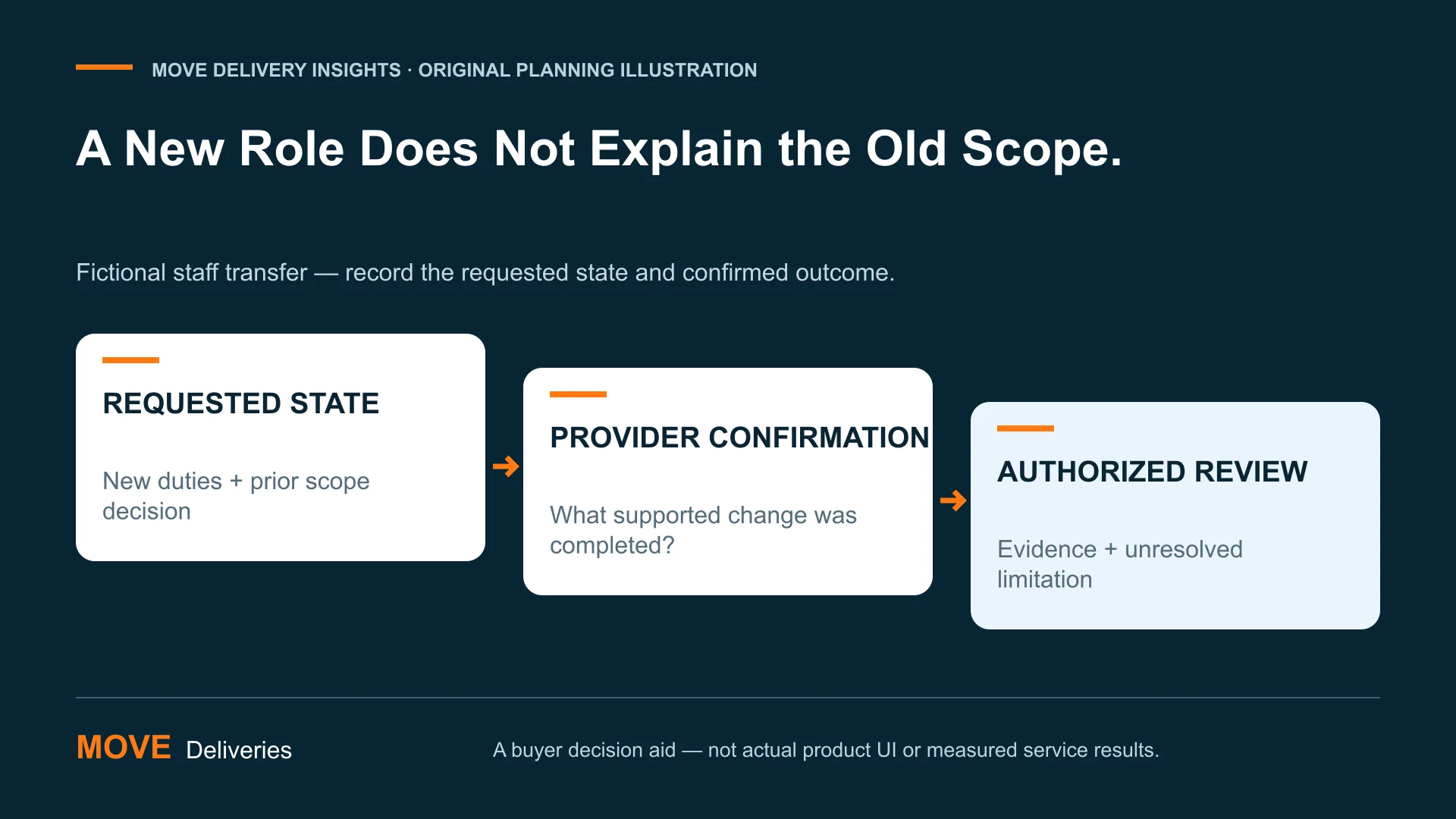
Imagine a fictional employee who previously coordinated Site A and is moving to a role at Site B. The manager asks for “Site B access.” That request does not say whether Site A access should remain, which actions are needed at Site B or when the change applies. A provider cannot infer the organization’s intended responsibilities simply from the new location’s name.
The account access owner first clarifies the desired state: the named employee, intended location scope, necessary actions and effective condition. The owner separately confirms whether the prior scope is to end or continue for a defined business reason. Those are two questions, even if the provider’s supported administrative workflow handles them together. Recording the desired state helps the next reviewer interpret the outcome.
The provider then confirms what configuration is available and how the authorized change will be completed. The buyer retains the confirmation in its appropriate administrative record and checks that it describes the requested scope. If a demonstration or authorized readback is available, record that evidence separately. Do not conclude that the old scope ended merely because the new scope appears on a screen.
Now add temporary coverage. A colleague may need to cover a receiving role during the transfer, but that does not automatically justify inheriting every permission of the former coordinator. Define the coverage duties and review condition. The example is an original planning scenario, not a report of MOVE account administration, a guarantee of timed revocation or an instruction to circumvent a system’s supported controls.
Keep a short access-decision ledger.
For each approved change, record the requested business state, approving role, provider confirmation, verification evidence and unresolved limitation. Use identifiers appropriate to your organization’s controlled administrative records rather than publishing staff lists. The ledger should help the authorized reviewer answer what was requested, what was completed and what still needs attention. It should not become a second uncontrolled repository of sensitive account details.
Preserve a meaningful distinction between “requested,” “confirmed complete” and “reviewed.” An email sent is a request. A supported provider response may confirm completion. An authorized check of the resulting scope is another form of evidence. Some workflows will provide more direct verification than others. State the evidence you actually have instead of making every row look equally certain for reporting convenience.
A review can also uncover obsolete business assumptions. A role may still be technically configured as requested while the employee’s responsibilities have changed. The provider cannot always know that organizational change. Give your account owner a route to receive staff and site updates, and ask how those updates should reach the service provider. Clear ownership is part of maintaining the requirement, not a replacement for technical access controls.
When an unexplained access discrepancy appears, use the organization’s approved review or incident process as appropriate. This article does not diagnose security incidents or supply a containment runbook. Avoid testing a suspected problem by opening unrelated real records or sharing credentials. Describe the observed issue to the responsible team through its authorized channel and preserve information according to that team’s instructions.
Account access: questions healthcare buyers ask
Is receiving a tracking link the same as having account access? Not necessarily. The information available from a particular link and the permissions of a signed-in account depend on the supported service. Ask what the link exposes, who it is intended for and how the associated workflow is controlled. Do not assume that a link carries all account permissions or that an account view reveals only what is shown in a notification.
Should every location contact receive every update? The right recipients depend on the operational need and supported configuration. MOVE can notify applicable location contacts or the primary customer account contact or contacts, depending on the agreed arrangement. Review delivery notifications and confirm the intended recipients. Notification routing is a separate discussion from permission to edit account information.
Does a role-based feature prove regulatory compliance? No. A feature description or role label is not an assessment of the whole organization, application or workflow. Ask your qualified reviewers what requirements and evidence apply. This guide organizes buyer questions about account access; it does not issue a compliance opinion, validate a production security configuration or replace the provider’s and customer’s responsibilities.
Can a small buyer still use an access matrix? Yes. A small matrix may have only a few roles and one location. Its value is making responsibilities explicit, not creating bureaucracy. If one person performs several duties, record those duties and the supported account scope clearly. The same person can hold several responsibilities without every other contact needing identical access. Review the arrangement when the team or operation changes.
What if a provider offers only a broad account role? Record that fact and ask how the actual service can meet the organization’s requirements. Do not describe an informal instruction as an enforced restriction. The appropriate business and security owners need to evaluate the available arrangement and any limitations. Choosing another workflow or asking further questions can be more useful than pretending a broad role is narrowly scoped.
Give your account setup a clearer brief.
Begin with three real responsibilities rather than a list of employee names: who submits work, who needs receiving visibility and who approves account changes. Map those responsibilities to locations and actions. Bring the resulting questions to the provider without exposing unnecessary personal or patient information. The conversation should end with supported requirements and identified gaps, not an assumption that every requested control already exists.
MOVE coordinates local same-day medical delivery through its proprietary platform. Explore live tracking and How It Works to frame your operational needs. Discuss available account configuration directly with the team. The matrices and examples here are original buyer tools, not screenshots or assertions of a specific platform authorization model.
For a defined delivery requirement, request a Quick Quote. For an ongoing workflow, Start An Account and identify the people responsible for account setup and review. Clear courier account permissions start with a clear business instruction—and evidence that the supported arrangement matches it.