
Pickup and delivery geofencing
Give arrival and departure events better context.
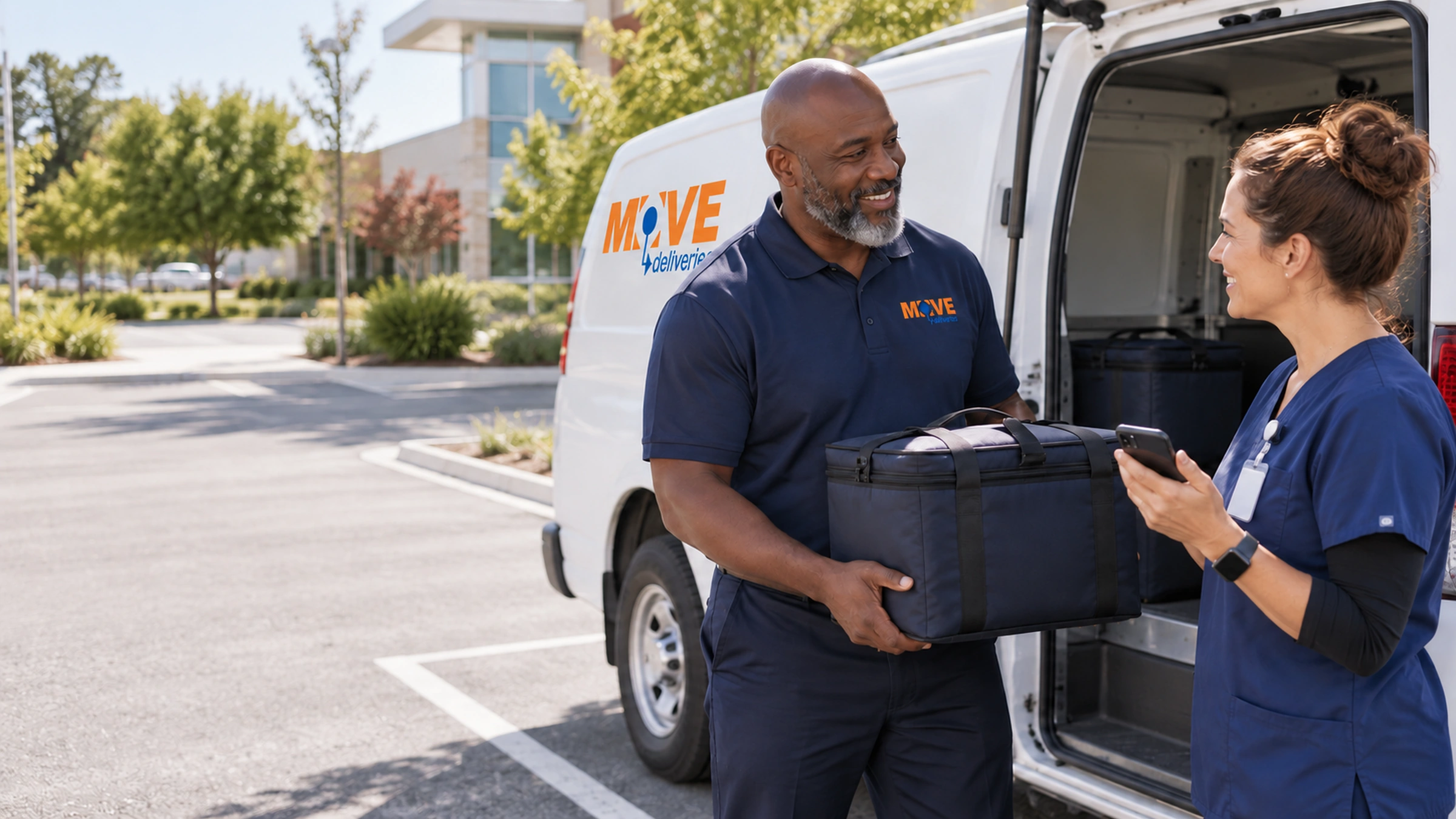
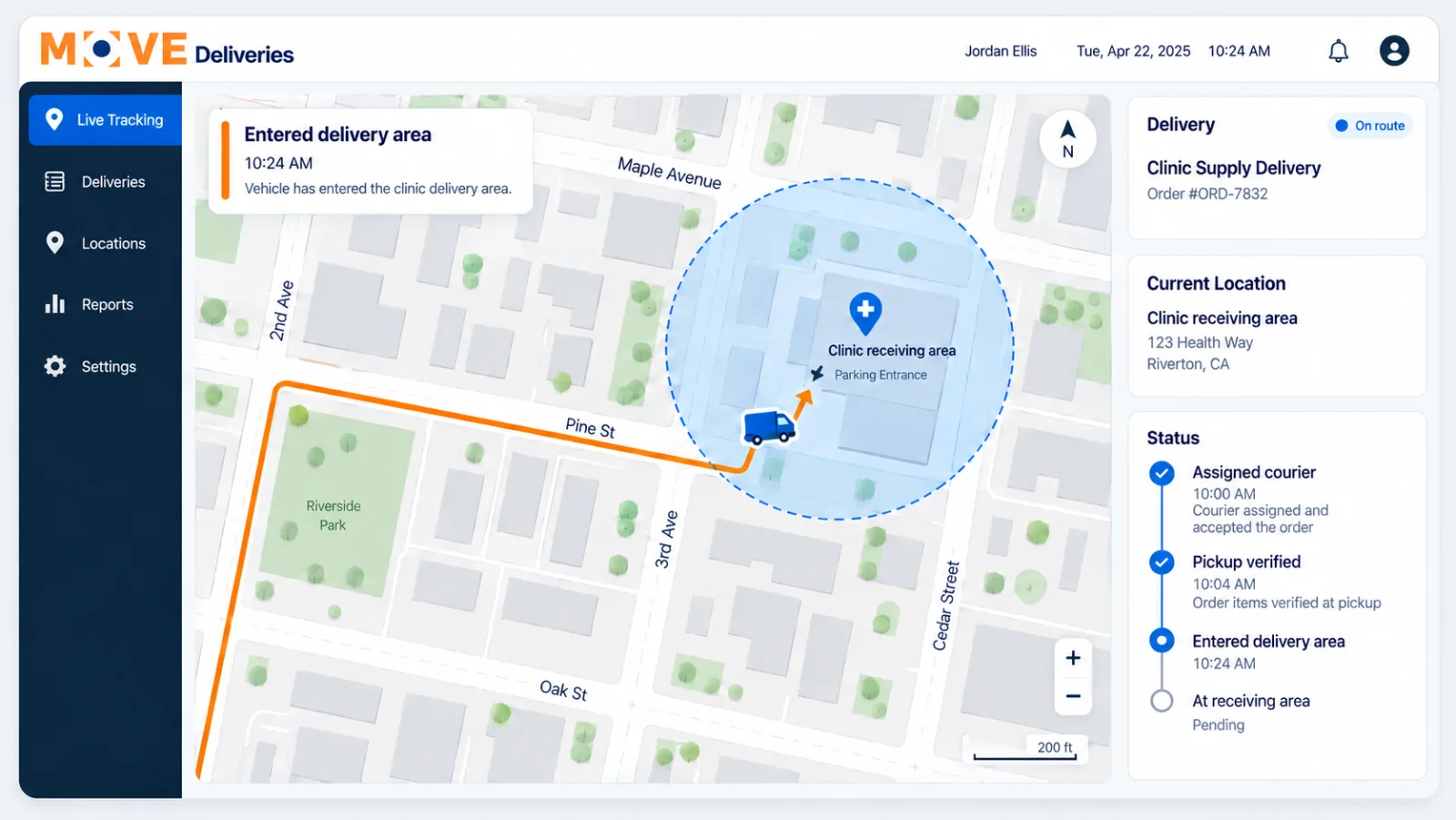
Know when a courier reaches the area around a pickup or receiving site. Location-based alerts add arrival and departure context to local deliveries, helping dispatch review a stop alongside driver updates and delivery records.
Live customer tracking
Electronic proof of delivery
On-time performance measured
Location with a purpose
Understand the stop—not just the route.
Healthcare campuses can have several entrances and receiving points. Reviewing the service location and configured area helps connect arrival context with the place where the handoff actually happens.
Support arrival and departure review.
Add location context to local route oversight.
Put it into practice
Set up delivery geofencing for your team.
GPS accuracy, permissions and connectivity affect location events. Crossing a geofence is not proof that an item was collected or accepted by a recipient. Availability and event configuration are confirmed during setup.
Review the service location
Confirm the pickup or delivery point and the practical access requirements.
Configure the relevant area
Review available location-event settings for the service program.
Interpret the event in context
Use location information with driver updates, timestamps and recipient proof.
Better site planning
Pair location events with practical access instructions.
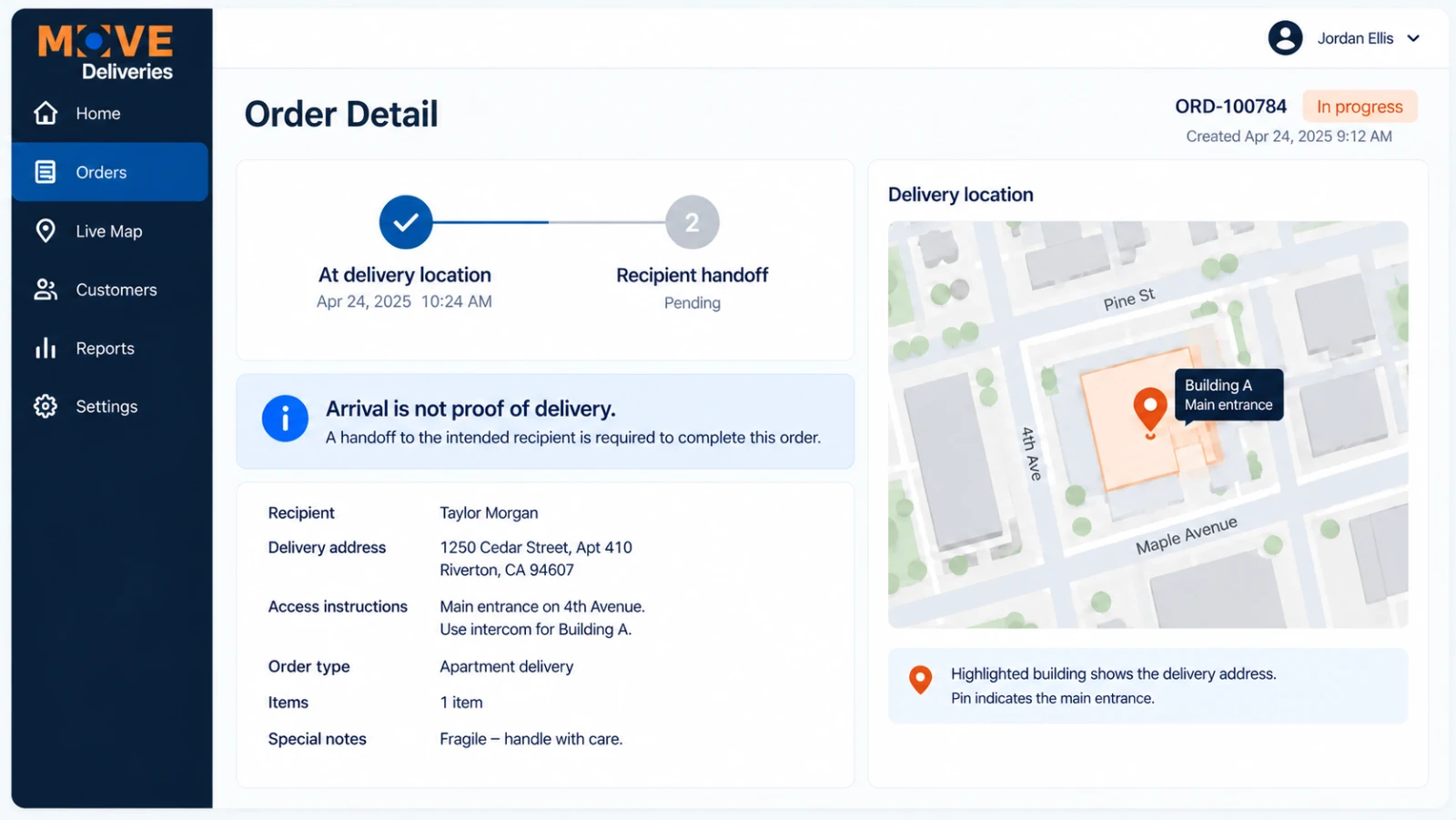
A boundary around a building cannot explain where to park or which entrance to use. Combine location configuration with receiving hours, access details and contact instructions.
Account for campus entrances and loading locations.
Give dispatch more context when a stop needs review.
Before You Choose
Make Delivery Geofencing Useful At The Actual Entrance.
Could a courier enter the campus boundary while still being at the wrong receiving point?
- Identify the collecting or receiving entrance and practical access instructions.
- Review the configured area against site conditions, permissions and device connectivity.
- Use arrival context alongside the agreed delivery record—not instead of recipient acceptance.
Plan Receiving Access Alongside Arrival Events
Planning reference: HHS guidance on limiting unnecessary health-information disclosures. Confirm the requirements for your materials and service.
Delivery Geofencing: Turn A Location Signal Into A Next Step
Decide What An Arrival Should Trigger
Should a receiving team prepare for the courier, or should dispatch check whether access is available? Delivery geofencing works best when the arrival signal has a defined purpose. Identify the location, relevant user and next action. A boundary event is useful context, but it cannot establish that the package has been accepted by the correct recipient.
Allow For The Actual Receiving Environment
A hospital campus, shared medical-office building and pharmacy counter do not have identical entrances. Confirm the receiving point and business contact alongside any delivery geofencing rule. GPS conditions and property layout can affect location signals. Keep the agreed receiving instructions available so the courier is not expected to infer the handoff point from a map boundary alone.
Review Exceptions Before Launch
Ask how an early arrival, delayed access or unavailable recipient should be handled. Delivery geofencing can support the workflow, while the authorized person directs the exception and the completion record documents receipt. Review these cases with a representative route before relying on an automated signal as the next step in your operation.
Questions, answered
Geofencing questions
What does a geofence indicate?
It supplies location context around a configured area, such as a pickup or receiving site. Its meaning depends on the configuration and available device data.
Can it confirm recipient acceptance?
No. Crossing a geographic boundary is not evidence that an item changed hands. Use the configured proof-of-delivery procedure.
What affects accuracy?
GPS conditions, building layout, device permissions and connectivity can affect location events. Review the practical site and event requirements during setup.
Ready when you are
Put your receiving locations in context.
Share the sites, entrances and arrival information your operations team needs.